See what a QR code is hiding.
Scammers stick fake QR codes on parking meters, menus and parcels. QuishGuard checks where a code really leads before you open it.
Free, with no ads. iPhone version coming soon.
- Not the city council's website
- 9 of 93 security engines flag it
- Opens over http, not https
Fake codes hide in ordinary places
Tap a code to see where it really leads. Not every code is a trap, which is exactly why you cannot tell by looking.
Three steps, a few seconds
Scan or paste
Use the camera, pick a photo from your gallery, or paste a link.
QuishGuard checks the link
The link is checked with VirusTotal, our own blacklist and a set of URL risk checks.
You decide
You get Safe, Suspicious or Malicious, with a risk score and the reasons. Dangerous links are blocked.
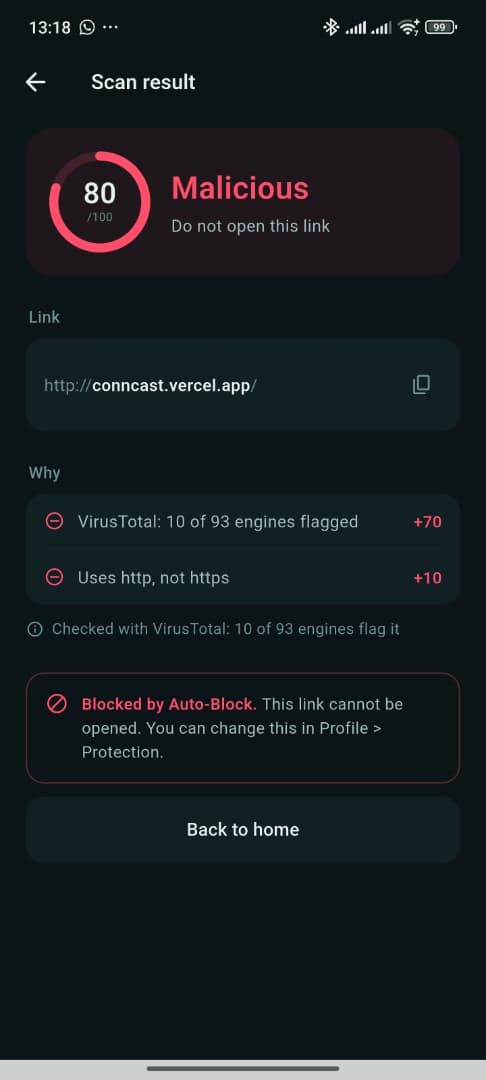
Clear answers instead of security jargon
Every result explains itself, and your protections stay on until you choose otherwise.
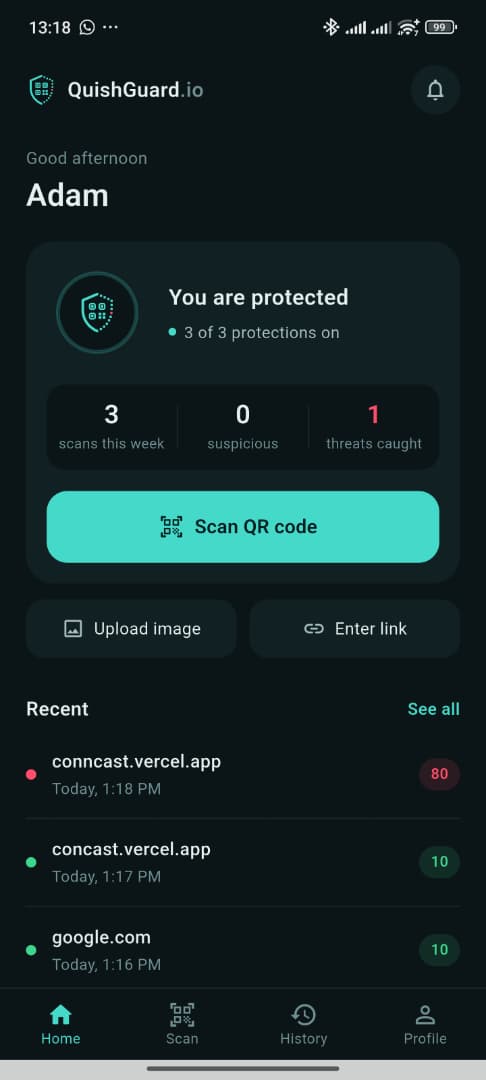
See the real domain
The true domain is shown in bold, so a fake address stands out from the real one.
Reasons you can read
Each result lists what raised or lowered the score, such as how many security engines flagged it.
Your scan history
Search and filter everything you have checked, grouped by day.
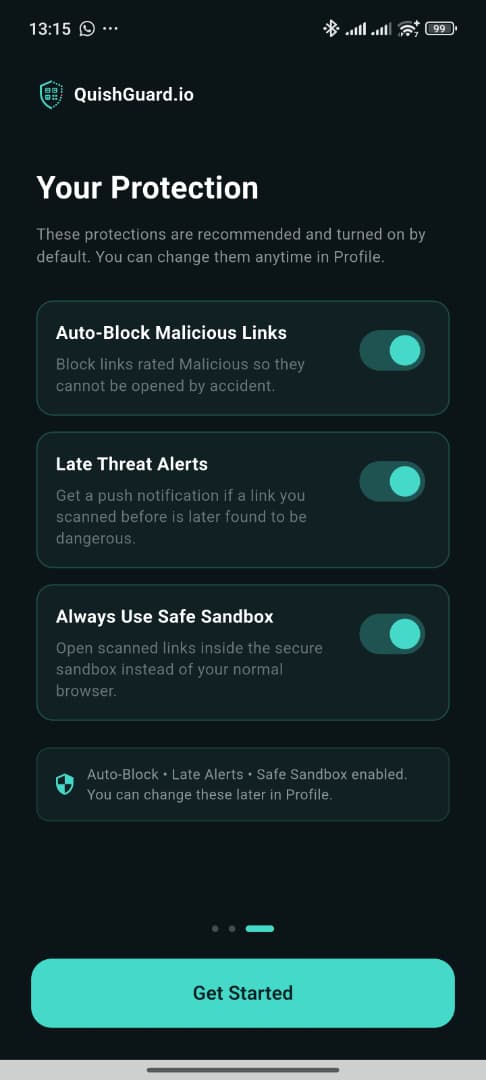
Auto-Block
Links rated Malicious cannot be opened by accident.
Late Threat Alerts
If a link you scanned last week is found to be dangerous today, you get a notification.
Safe Sandbox
Open scanned links in an isolated view with JavaScript turned off.
For companies, schools and banks
QuishGuard includes an admin dashboard, so your IT or security team can protect everyone at once.
Contact usShared blacklist
Block a known phishing link for every user in one step.
Scan logs
See which links are being scanned and export the logs.
Alerts after the fact
Re-check past scans and warn the people affected when a link turns dangerous.
User management
Decide who has access, and with which role.
Get QuishGuard
Android. QuishGuard is in testing on Google Play. Join the tester group with the Google account on your phone, then install from Google Play.
Download for AndroidiPhone. Coming soon on the App Store.
About and contact
QuishGuard.io is a Final Year Project at the German-Malaysian Institute, built to help people in Malaysia avoid QR code phishing.
Questions, a wrong verdict, or interest for your organisation? Email [email protected].